Recent Blogs:
Top 5 Components to Prioritize When Building a Gaming PC
Building a gaming PC is an exciting journey that allows you to customize your setup to meet your gaming needs and preferences. However, choosing the right components can be overwhelming, especially if you’re on a budget. To help you get started, here’s a guide to the top 5 components you should prioritize when building your dream gaming rig.
1. Graphics Processing Unit (GPU)
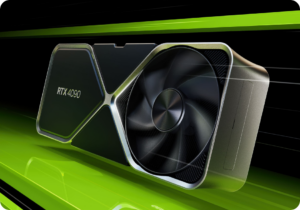
For gaming, the GPU is the star of the show. It handles rendering graphics, textures, and visual effects, directly impacting the quality and smoothness of your gaming experience. High-performance GPUs like the NVIDIA GeForce RTX or AMD Radeon RX series are ideal for modern games with demanding visuals. If you’re planning to game at high resolutions or refresh rates, prioritize a powerful GPU within your budget.
2. Central Processing Unit (CPU)
While the GPU handles visuals, the CPU manages overall system performance and game logic, such as AI and physics calculations. A strong CPU ensures your PC runs smoothly, especially for open-world or CPU-intensive games. Look for CPUs with high clock speeds and multiple cores, such as AMD Ryzen or Intel Core processors, to balance performance and multitasking capabilities.
3. Memory (RAM)
RAM plays a crucial role in providing your PC with the ability to handle multitasking and run games efficiently. For most gaming setups, 16GB of RAM is considered the sweet spot, offering a balance between performance and cost. However, if you plan to stream or run multiple applications alongside gaming, upgrading to 32GB can enhance your experience.
4. Storage
Fast storage not only reduces loading times but also improves the overall responsiveness of your system. Solid-state drives (SSDs) are a must for gaming PCs, as they dramatically outperform traditional hard drives. A combination of an SSD for your operating system and games, and an HDD for additional storage, offers an excellent balance between speed and capacity.
5. Motherboard
The motherboard acts as the backbone of your gaming PC, connecting all the components and ensuring compatibility. When choosing a motherboard, make sure it supports your CPU, has enough slots for RAM, and provides ample connectivity options like USB ports and M.2 slots for SSDs. Features like overclocking support and Wi-Fi can also add value depending on your needs.
Bonus Tips
- Power Supply Unit (PSU): Don’t skimp on the PSU. A reliable PSU with the appropriate wattage ensures stable power delivery to all your components.
- Cooling and Case: Proper airflow and cooling are essential for maintaining performance and extending the lifespan of your PC components. Choose a case that supports your cooling setup and fits your hardware.
Conclusion
Building a gaming PC is all about prioritizing the components that matter most to your gaming experience. Start with the GPU and CPU for performance, ensure you have enough RAM and fast storage, and choose a compatible motherboard to bring everything together. With careful planning, you can create a gaming rig that delivers top-notch performance for years to come.